Cupid is an app1 that you play in Claude.
Thank you for your interest in playing our beta.
Quick Start
You just need to add it as a Connector in your Claude settings with this URL:
https://cupid-claude.fly.dev/mcp
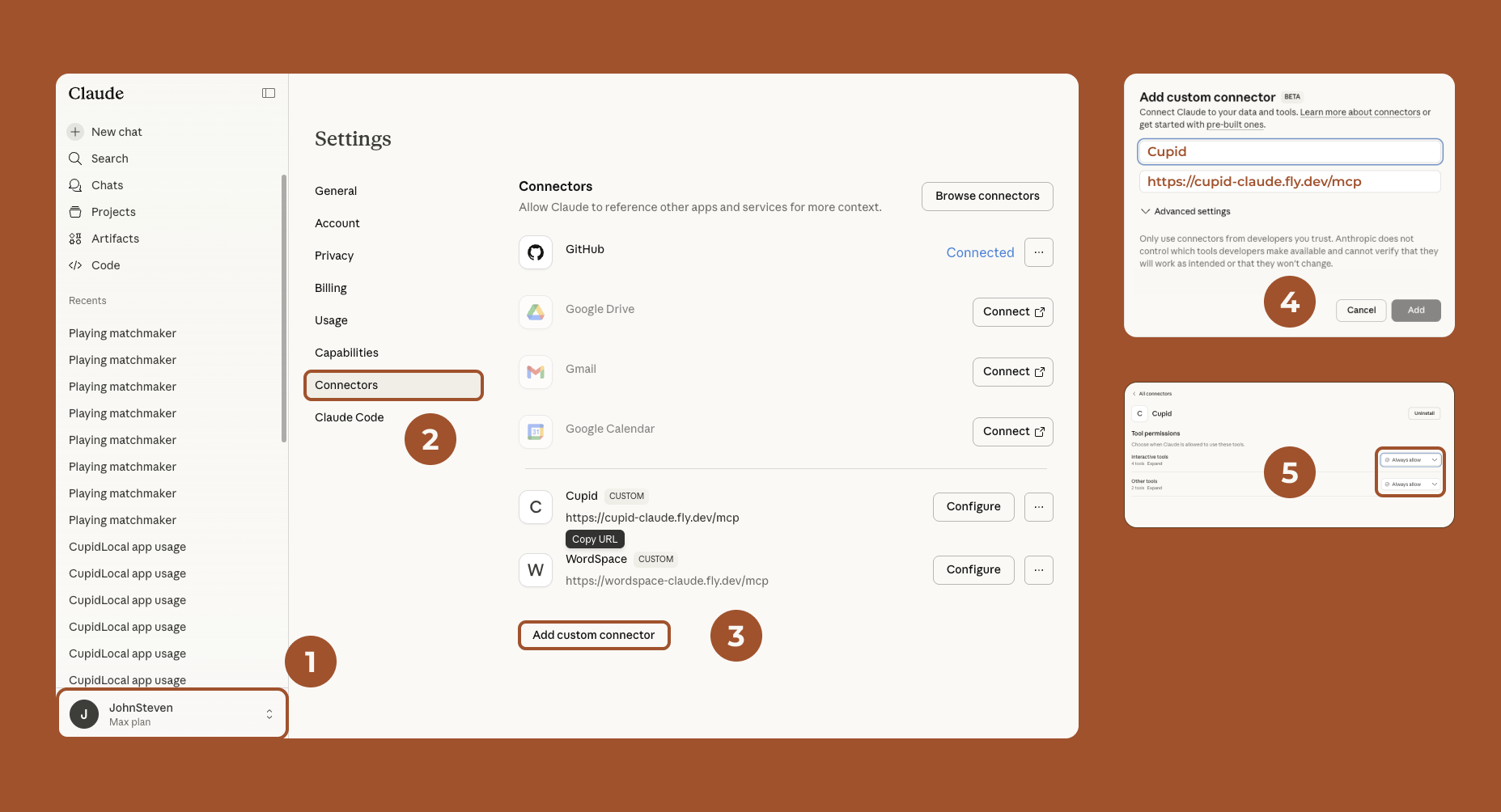
Step by Step
Open Claude on the web or in your desktop app.
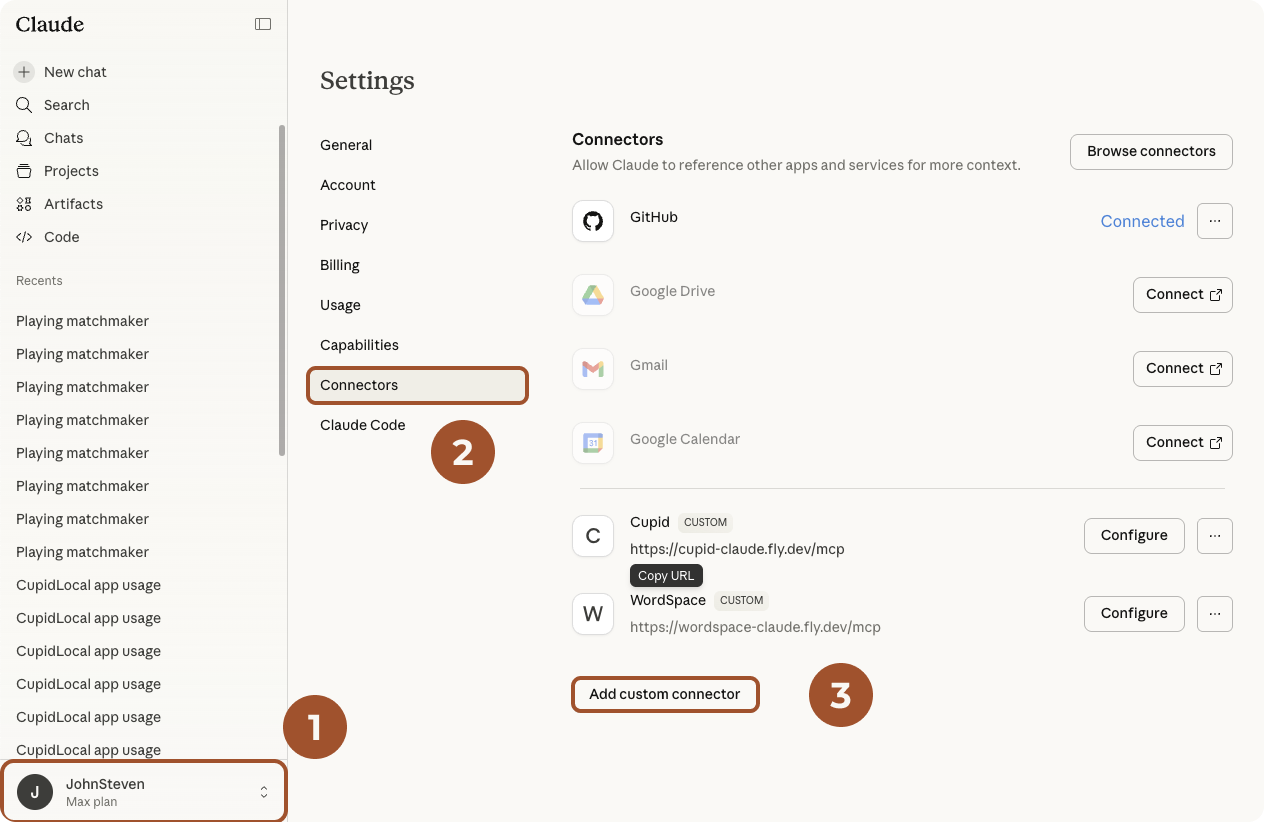
- Go to your settings:
-
Click the Connectors tab in your settings.
-
Look for Add Custom Connector. Click it to see:
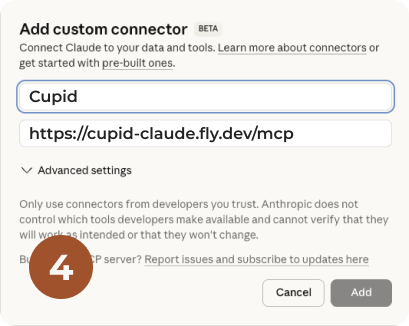
- Give the Connector the name Cupid, and copy the URL below into the field that says Remote MCP server URL:
https://cupid-claude.fly.dev/mcp
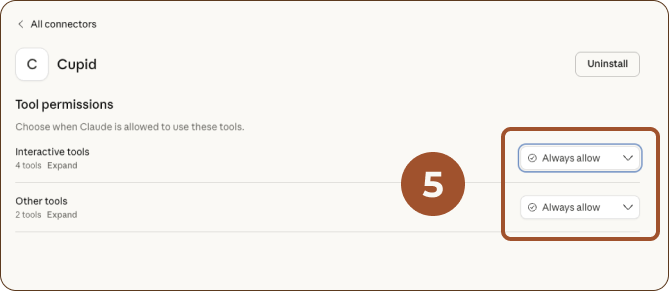
- Once connected, you can Configure the app to ALLOW ALWAYS, for a better experience. (You won't have to approve using our app every interaction.)
Play
Once that's done, you can invoke the game in Claude by typing:
play Cupid
Please let us know what you think, by clicking the feedback button at the story's end.